The Indian automotive landscape has officially been electrified. Whether you’ve just booked the futuristic Tata Curvv.ev, the practical MG ZS EV, or the highly anticipated Maruti eVX, the excitement of transitioning to an electric vehicle is unparalleled. You’re ready for the silent drives, the instant torque, and the satisfying feeling of driving past the fuel station without stopping.
But hit the brakes for a second.
Taking delivery of an Electric Vehicle (EV) is fundamentally different from buying an Internal Combustion Engine (ICE) car. You aren’t just buying a mechanical machine anymore; you are buying a massive, highly complex computer on wheels.
A standard car PDI checklist won’t cut it here. A scratch on the door is annoying, but an unactivated e-SIM, a faulty high-voltage charging port, or a degraded battery state of health (SoH) right out of the showroom can turn your EV dream into a logistical nightmare.
At AutoCritic, we’ve seen early adopters face issues simply because they didn’t know what to look for. That’s why we’ve created the definitive EV Pre-Delivery Inspection (PDI) Checklist. Before the dealership hands over the smart key, make sure you perform this specialized check to protect your investment.

Why is an EV PDI So Critical in 2026?
With automakers rapidly pushing out new electric variants to capture the market, software optimization and quality control can sometimes be rushed. An EV relies entirely on thermal management systems, high-voltage wiring, and interconnected software modules.
If a petrol car has a minor sensor issue, it might just throw a check engine light but still drive. If an EV has a crucial software glitch or a sensor mismatch in the battery management system (BMS), the car will refuse to shift into ‘Drive’ to protect the high-voltage architecture. Catching these gremlins before you sign the registration documents is your only defense.
The AutoCritic EV PDI Toolkit
Leave your emotions at home and bring the following:
- Your Smartphone: Fully charged, with the manufacturer’s connected car app (like Tata ZConnect, MG i-SMART, or Hyundai Bluelink) already downloaded.
- A Flashlight: For checking the dark recesses of the charging ports and the frunk (front trunk).
- This Checklist: Keep it open on your browser.
- Plenty of Time: Software checks take longer than mechanical checks. Allocate at least 90 minutes.
The Ultimate EV PDI Checklist: Step-by-Step
Phase 1: The Power Core (Battery & Charging)
This is the heart of your new EV and the most expensive component.
- 1. Battery State of Health (SoH): This is non-negotiable. Do not rely on the dashboard percentage. Ask the service manager to connect their OBD diagnostic laptop to the car and show you the Battery SoH. For a brand-new car, it must be 100%. If it’s anything less, the battery may have degraded due to poor stockyard storage (e.g., being left at 0% charge for weeks).
- 2. State of Charge (SoC): The car should ideally be delivered to you with an SoC of 80% to 100%. If it’s handed over with 20% battery, it shows poor preparation by the dealership and severely limits your ability to test drive it properly.
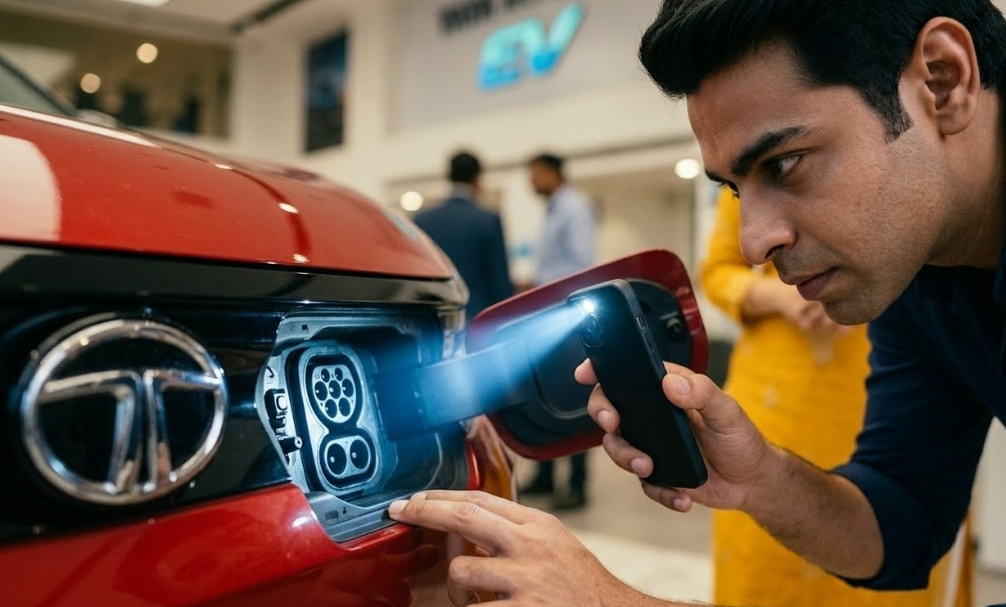
- 3. The Charging Ports: Open the charging flap. Inspect both the AC (Type 2) and DC (CCS2) pins. Use your flashlight to ensure there is no corrosion, dust, moisture, or bent pins. The protective rubber caps should fit snugly.
- 4. The Portable Charger (EVSE): Open the boot and locate the portable charging cable. Unpack it. Ensure the 15A plug isn’t bent and the control box isn’t cracked. AutoCritic Tip: Ask the salesperson to plug the portable charger into a showroom socket and connect it to your car. Verify that the car actually initiates the charging handshake and starts drawing power.
Phase 2: Software, Screens, and Telematics
An EV’s functionality is deeply tied to its software. A glitch here is just as bad as a mechanical failure.
- 1. Boot-Up Time & UI Lag: Turn the car completely off, lock it, wait 30 seconds, and unlock it. Get in and press the Start button. Observe how long the infotainment and digital instrument cluster take to boot up. Swipe through the menus. Severe lag or frozen screens indicate the car might need a crucial software flash before delivery.
- 2. Telematics & App Connectivity: This is where many buyers get stuck. Ask the dealership to pair your smartphone with the car’s built-in e-SIM. Test the remote functions right there in the showroom: lock/unlock the doors, turn on the AC, and check the battery status via the app. If the e-SIM isn’t activated, refuse delivery until it is.
- 3. HVAC & Range Drop: Turn on the climate control to maximum cooling. Watch the predicted range on the dashboard. A drop of 10-15% in predicted range is normal when the AC kicks in. If the range plummets erratically, there might be an issue with the BMS calibration.
- 4. Warning Lights (The Christmas Tree Effect): When you power on the car, all warning lights will illuminate briefly. Ensure the ‘Ready’ indicator comes on (usually green) and that there are no High Voltage System warnings, turtle mode icons, or battery fault lights staying on.
Phase 3: The Silent Test Drive (NVH & Drive Modes)
Because EVs lack the rumble of an engine, other noises become glaringly obvious.
- 1. The Silence Check: Turn off the AC and the audio system. Drive the car over a slightly rough patch if possible. Listen intently for rattling plastics, squeaky suspension components, or wind noise. In a silent cabin, these minor manufacturing defects will drive you crazy later.
- 2. Pedestrian Warning System: Drive at a slow speed (under 20 km/h) with the windows down. You should hear the artificial hum or spaceship-like sound emitted by the car to warn pedestrians.
- 3. Drive Modes & Regen: Test every drive mode (Eco, City, Sport). You should feel a distinct difference in throttle response. More importantly, test the Regenerative Braking levels. Set it to the maximum level and take your foot off the accelerator; the car should decelerate sharply. If it doesn’t, the regen system might be malfunctioning.
Phase 4: EV-Specific Documentation
The paperwork for an EV has a few extra layers compared to a standard car.
Phase 2: Software, Screens, and Telematics
An EV’s functionality is deeply tied to its software. A glitch here is just as bad as a mechanical failure.
- 1. Boot-Up Time & UI Lag: Turn the car completely off, lock it, wait 30 seconds, and unlock it. Get in and press the Start button. Observe how long the infotainment and digital instrument cluster take to boot up. Swipe through the menus. Severe lag or frozen screens indicate the car might need a crucial software flash before delivery.
- 2. Telematics & App Connectivity: This is where many buyers get stuck. Ask the dealership to pair your smartphone with the car’s built-in e-SIM. Test the remote functions right there in the showroom: lock/unlock the doors, turn on the AC, and check the battery status via the app. If the e-SIM isn’t activated, refuse delivery until it is.
- 3. HVAC & Range Drop: Turn on the climate control to maximum cooling. Watch the predicted range on the dashboard. A drop of 10-15% in predicted range is normal when the AC kicks in. If the range plummets erratically, there might be an issue with the BMS calibration.
- 4. Warning Lights (The Christmas Tree Effect): When you power on the car, all warning lights will illuminate briefly. Ensure the ‘Ready’ indicator comes on (usually green) and that there are no High Voltage System warnings, turtle mode icons, or battery fault lights staying on.
Phase 3: The Silent Test Drive (NVH & Drive Modes)
Because EVs lack the rumble of an engine, other noises become glaringly obvious.
- 1. The Silence Check: Turn off the AC and the audio system. Drive the car over a slightly rough patch if possible. Listen intently for rattling plastics, squeaky suspension components, or wind noise. In a silent cabin, these minor manufacturing defects will drive you crazy later.
- 2. Pedestrian Warning System: Drive at a slow speed (under 20 km/h) with the windows down. You should hear the artificial hum or spaceship-like sound emitted by the car to warn pedestrians.
- 3. Drive Modes & Regen: Test every drive mode (Eco, City, Sport). You should feel a distinct difference in throttle response. More importantly, test the Regenerative Braking levels. Set it to the maximum level and take your foot off the accelerator; the car should decelerate sharply. If it doesn’t, the regen system might be malfunctioning.
Phase 4: EV-Specific Documentation
The paperwork for an EV has a few extra layers compared to a standard car.
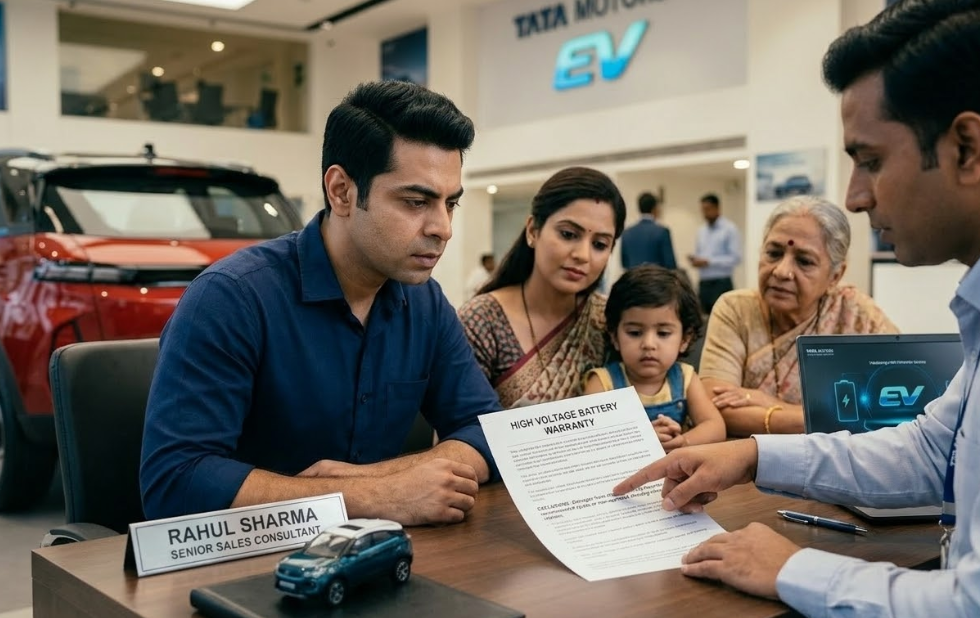
- 1. The Battery Warranty Certificate: Standard cars have a vehicle warranty, but EVs have a separate, much longer warranty for the high-voltage battery and motor (usually 8 years or 1,60,000 km). Ensure you receive a specific document detailing this coverage.
- 2. Subsidies and Road Tax: If your state still offers EV subsidies or zero road tax, double-check the RTO receipts and invoice to ensure the dealership hasn’t accidentally charged you for ICE-vehicle taxes.
- 3. Charger Installation Proof: If your purchase includes a complimentary 7.2 kW home wall box charger, ensure you have the work order and contact details of the installation agency before you leave the showroom.
Conclusion: Don’t Compromise on the Future
Transitioning to an electric vehicle is a massive step forward. It changes how you drive, how you plan your trips, and how you maintain your vehicle. However, the early days of owning an EV shouldn’t be spent making endless trips to the service center to fix software bugs or swap faulty charging cables.
By utilizing this EV pre-delivery inspection checklist, you are ensuring that the advanced piece of technology you just bought functions exactly as the engineers intended. Be thorough, be patient, and don’t let the shiny screens distract you from the core mechanics of the machine.
Are you planning to buy an EV soon, or have you already taken delivery? Let us know which EV you chose and how your delivery experience went in the comments below!